Offset
Build a parallel path at an exact distance, with a chosen corner treatment.
Offset creates a parallel copy of selected geometry at a distance you specify. Use it for walls, margins, and repeated outlines.
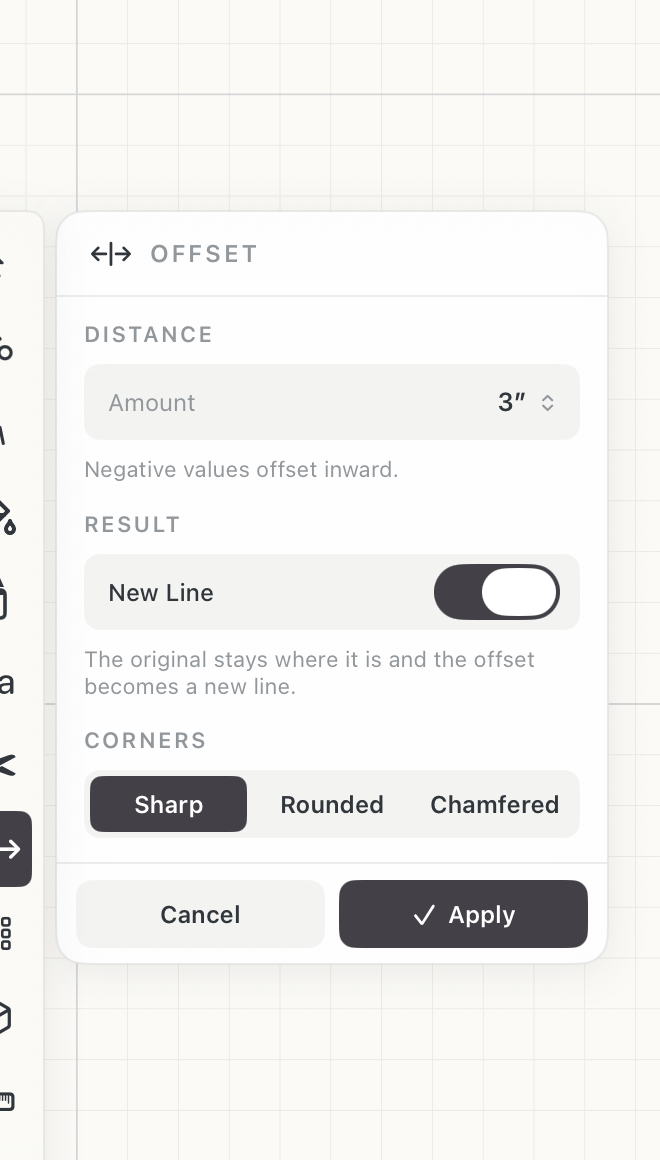 Offset settings
How to use
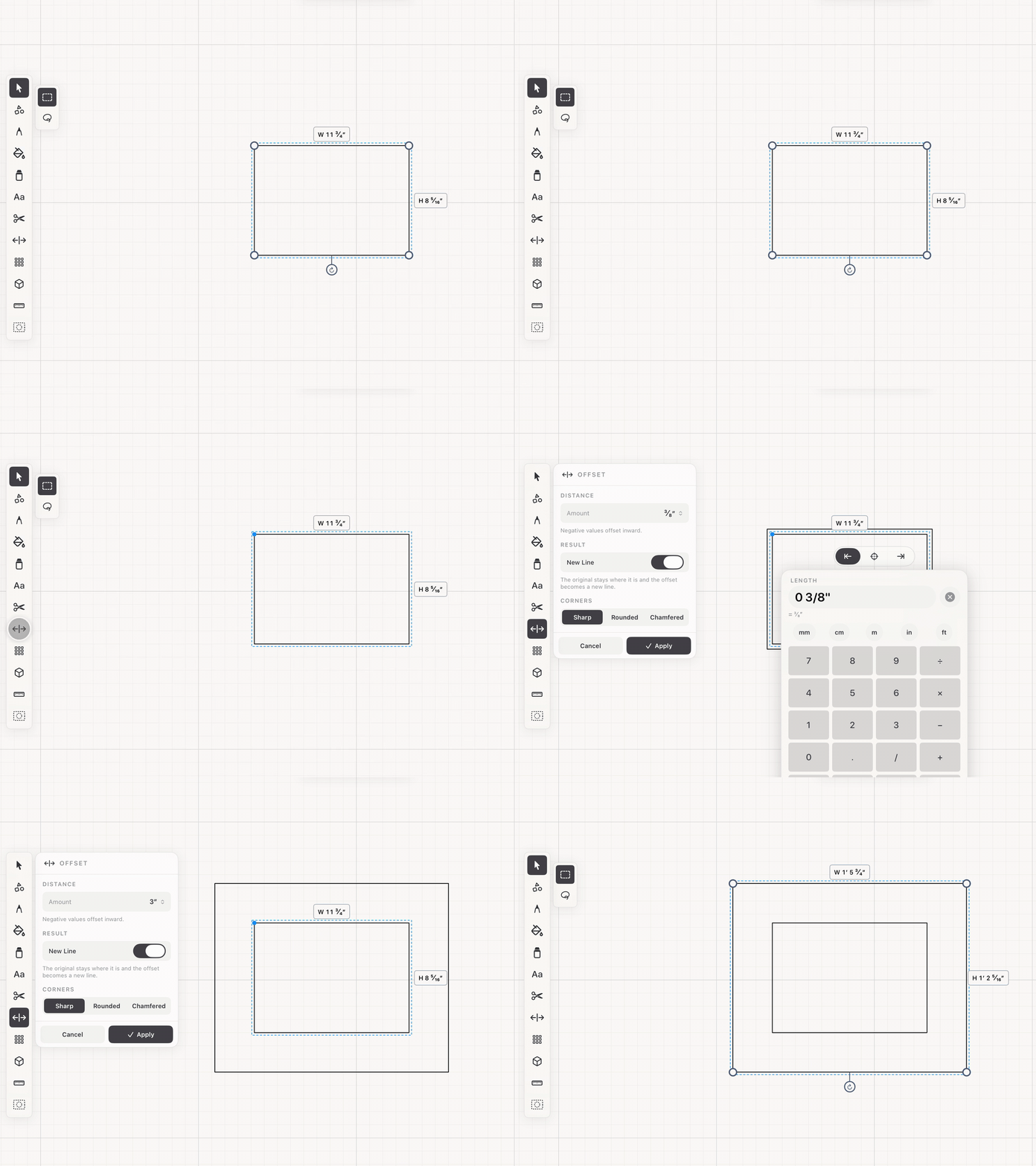
- Select the geometry to offset, then choose Offset.
- Set Amount by dragging the offset handle, or tap the value to type one exactly.
- Choose how corners resolve: Sharp carries both edges to their intersection, Rounded arcs between them, Chamfered cuts across.
- Leave New Line on to keep the original and add the offset beside it; turn it off to move the original instead. Apply to commit.
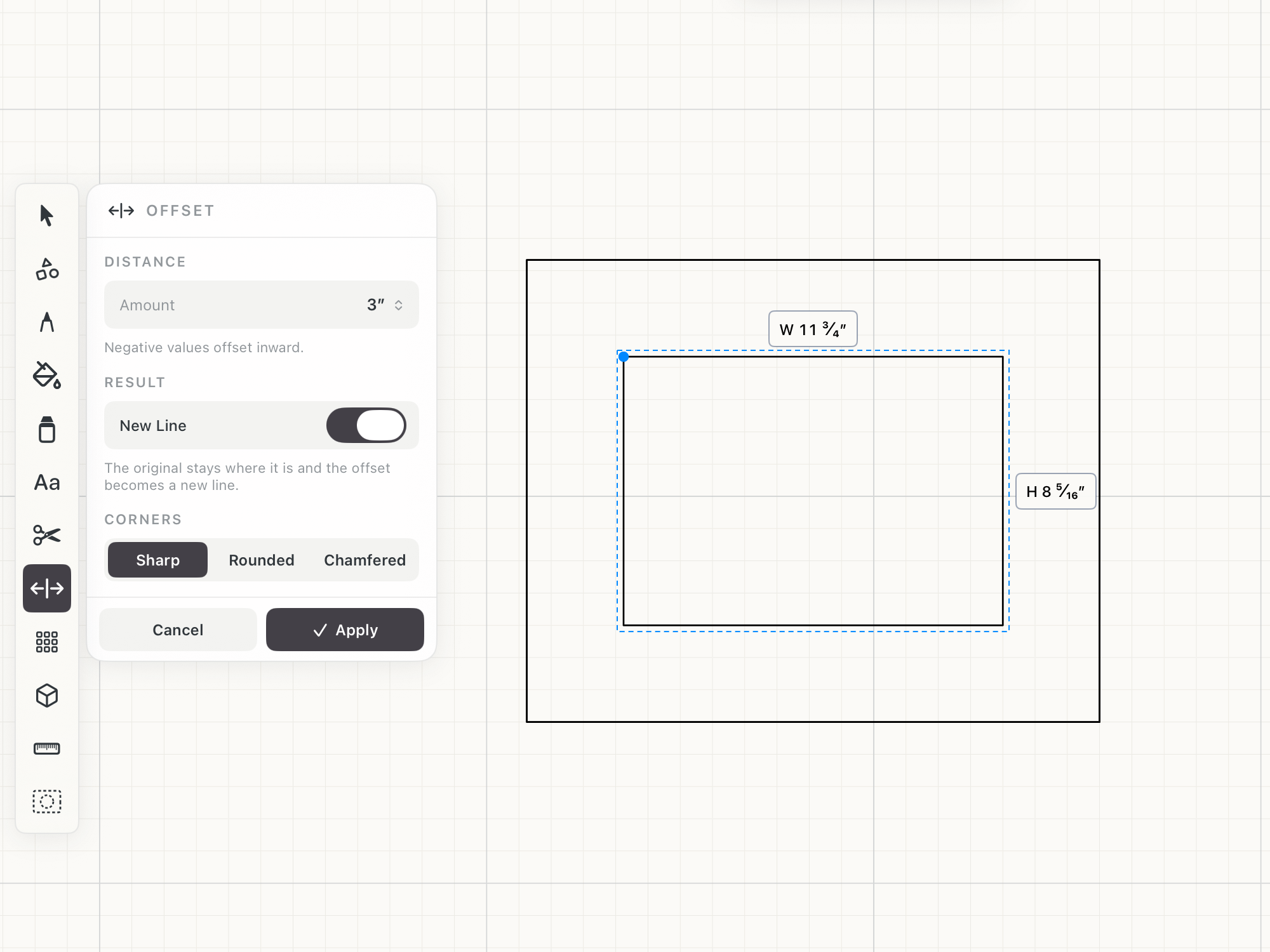 Offset preview on the canvas
See it in use
Tips
- Use Offset to give a wall, panel, frame, or border a consistent thickness.
- Use a negative amount for an inset such as an internal margin or reveal.
- Choose Rounded or Chamfered corners when the drawn edge should match how the material is actually made.